Dead Icons Walking: The Quiet Apocalypse of Apps That Vanish While You're Still Using Them
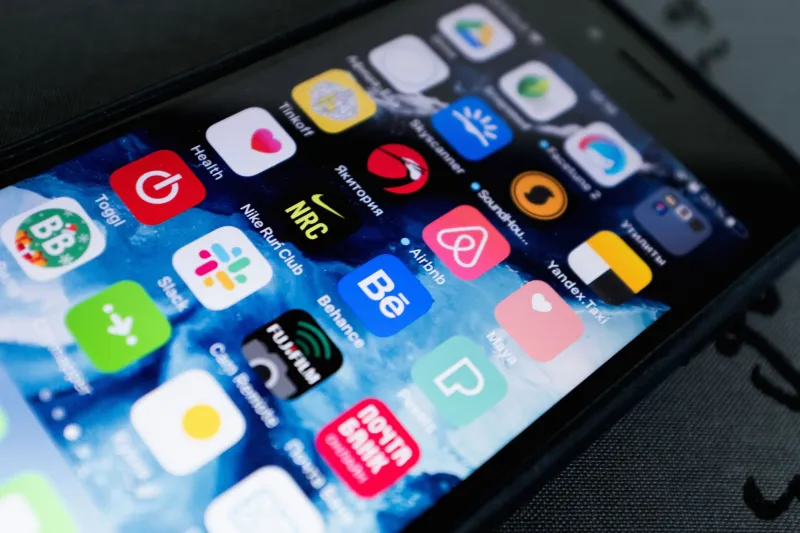
You know that specific horror of tapping an app icon and watching it bounce — that cheerful, oblivious little bounce — and then absolutely nothing happens? No crash screen. No error message. Just a gray square with a logo that no longer means anything to anyone, least of all the company that made it.
Welcome to the Undownload Epidemic. It's not a conspiracy theory. It's Tuesday.
The Update That Ate Itself
Here's a scenario so common it should have its own Wikipedia entry: You're sitting on your couch, phone in hand, and a little notification pops up. Update available. You tap it — because you're a responsible digital citizen who believes in security patches — and halfway through the download bar, everything stops. The app doesn't update. It doesn't revert. It just sits there, half-baked, like a Hot Pocket that's frozen in the middle and scalding on the outside.
What actually happened? The developer pulled it from the store mid-update. Not before you started downloading. During. The App Store and Google Play are not the orderly digital shopping malls they pretend to be. They're more like flea markets where a vendor can pack up their table and disappear between the time you picked up the item and the time you walked to the register.
Apple and Google both have delisting processes that can happen faster than your Wi-Fi can complete a 47MB download. Policy violations, legal disputes, expired developer accounts, unpaid server bills — any of these can trigger an instant vanishing act. The app doesn't warn you. The store doesn't warn you. You just get a ghost.
Why Developers Nuke Their Own Work
Let's be fair to the developers for exactly one paragraph, because some of these disappearing acts aren't malicious. Running an app costs money. Servers cost money. Keeping up with Apple's annual SDK requirements costs time and money. A solo developer who built something cool in 2019 and then got a full-time job, had kids, or simply moved on to other projects isn't sitting in a villain lair cackling as they hit the deactivate button. Sometimes the app just quietly stops being maintained until the platform itself kicks it out for non-compliance.
But sometimes? Yeah, it's a little shadier. Startups that ran out of runway have been known to delist their apps before users notice the back-end services have already gone dark — which means you're still happily tapping away on a UI that's been connecting to a dead server for weeks. The app looks alive. It is not alive. Think of it as a digital Weekend at Bernie's situation.
Then there's the acquisition play. Company A buys Company B's app, decides the user base isn't worth migrating, and just... turns it off. No announcement. No export-your-data email. One morning the icon is a tombstone and your three years of in-app progress are composting somewhere in a decommissioned data center in rural Virginia.
The Phantom Install Problem Nobody Talks About
Here's where it gets genuinely unsettling. If you delete an app that has since been removed from the store — even accidentally, even if you owned a paid version — you often cannot get it back. Ever.
The App Store has a "Purchased" history, but delisted apps don't always appear there. Google Play's library is similarly amnesiac. Users in Reddit threads going back years describe the same experience: tapping a dead icon, deleting it by mistake, searching for it, finding nothing, and then realizing the only version that existed on Earth was the one they just sent to the trash.
This is the phantom install graveyard. Your home screen becomes a haunted house where every dead icon represents something you technically still "own" but can never access again. Paid apps. Productivity tools. Games with hundreds of hours of progress. Gone, because the developer's credit card declined or a lawyer sent a cease-and-desist about a font.
The industry term for this is "delisting," which sounds far too polished for what it actually is. "Vaporizing your purchase without a refund" is less catchy but significantly more accurate.
So What Happens to Your Data?
Short answer: nobody knows, and that's the problem.
Longer answer: it depends entirely on how the app was built, where it stored data, and whether the developer followed their own privacy policy before pulling the plug. In the best-case scenario, your data lives on a reputable cloud service that outlasts the app itself. In the worst case, it's sitting on an abandoned server that some skeleton IT crew is contractually obligated to maintain for 90 days before everything gets wiped.
Federal law in the US does not currently require developers to notify users before delisting an app. There's no mandatory data export window, no grace period, no "hey, we're shutting down, here's your stuff" obligation. The FTC has made noise about data practices, but the specific moment of app death remains a regulatory blind spot the size of a Walmart parking lot.
Some states are pushing harder on this — California's privacy laws have more teeth — but if you're in, say, Nebraska, and your favorite budgeting app just evaporated, you are largely on your own.
Living With the Graveyard
The honest survival guide for this era of digital impermanence is depressing but necessary. Don't keep critical data exclusively inside any single app. Export what you can, when you can. Screenshot things that matter. Treat every app with the same energy you'd give a pop-up restaurant — enjoy it while it's there, but don't plan your retirement around it.
And if you see that update notification? Maybe check the app's social media first. A quick search for "[app name] shutting down" before you hit that download button could save you from watching a progress bar eat itself.
The App Store was supposed to be a curated, permanent marketplace. Instead, it's more like a city that occasionally bulldozes entire neighborhoods overnight and then acts confused when you point at the rubble and ask where your stuff went.
Tap the icon. Watch it bounce.
Nothing happens.
Classic.